Best Smart Locks 2026: Top Picks for Every Door
The best smart locks of 2026 compared: Grade 1 deadbolts, fingerprint speed, Home Key picks, and the hubs and monthly fees each one avoids.
Top picks at a glance
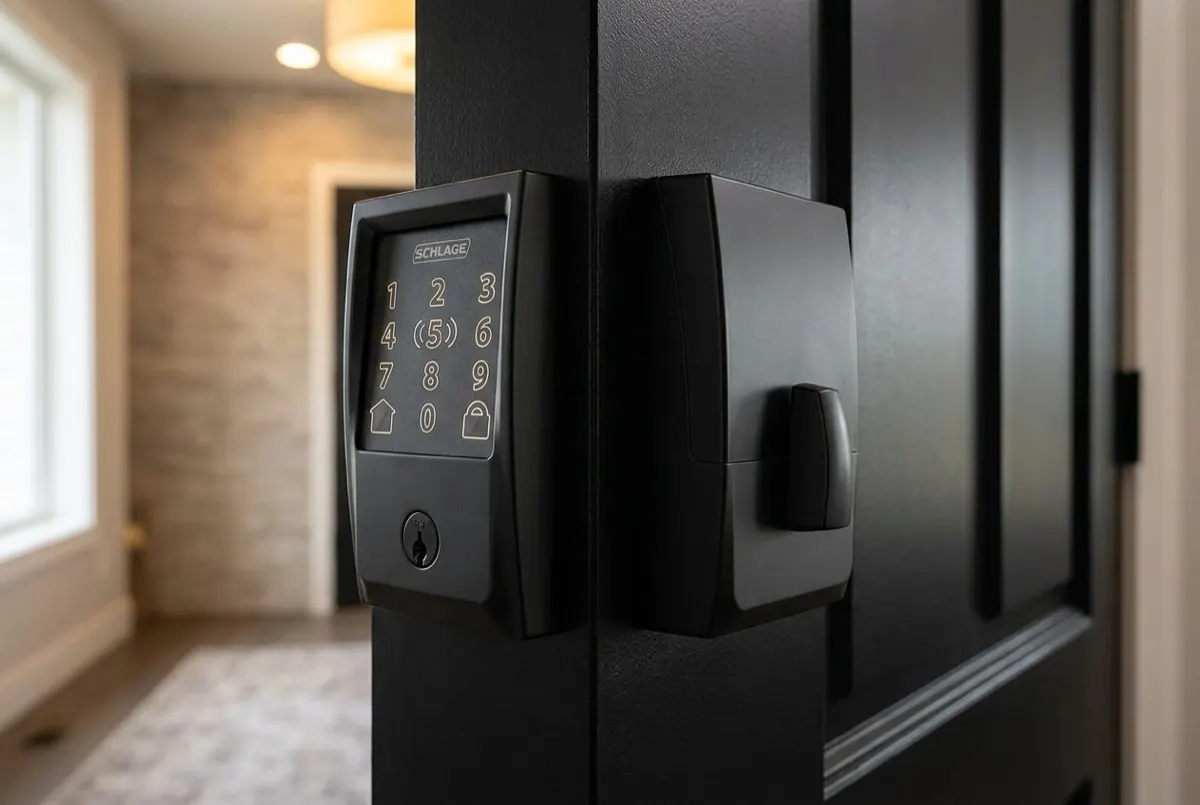
- Connectivity
- Built-in Wi-Fi (2.4GHz) and Bluetooth, no hub required
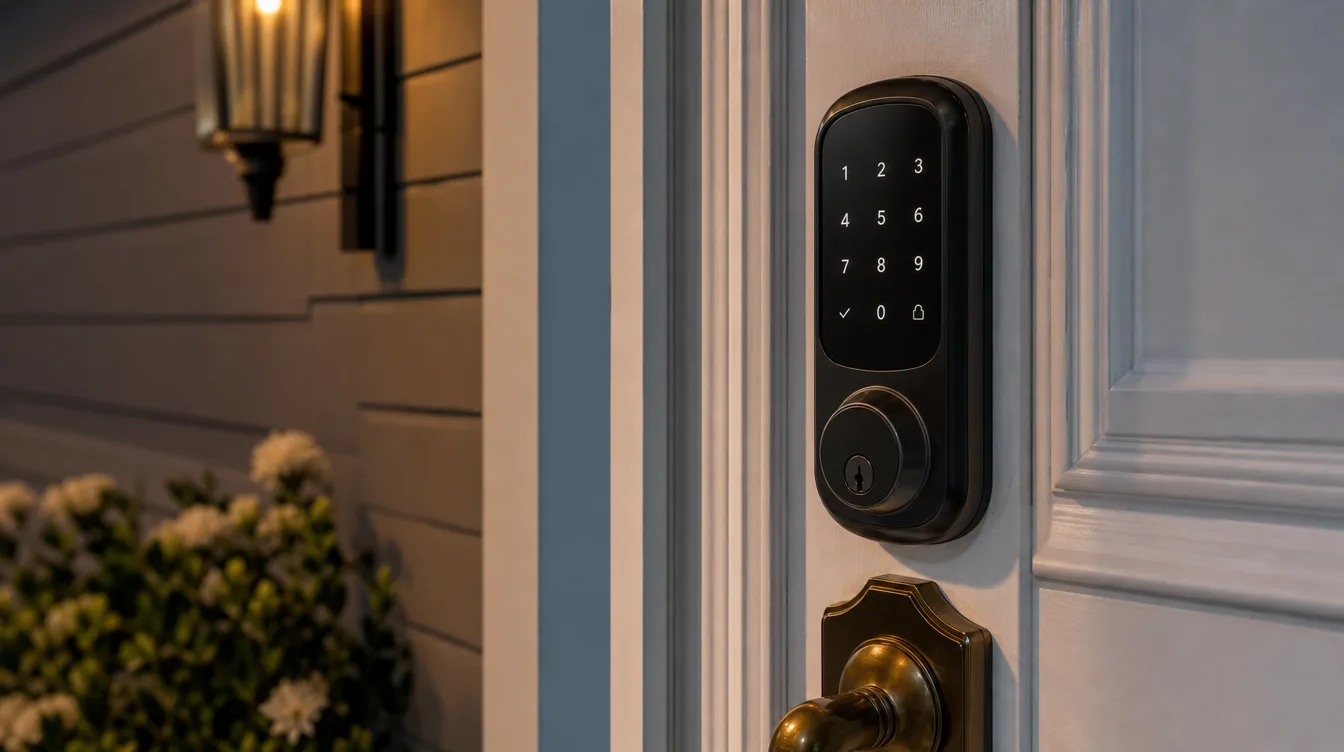
- Connectivity
- Built-in Wi-Fi (2.4GHz) plus Bluetooth, no separate bridge required
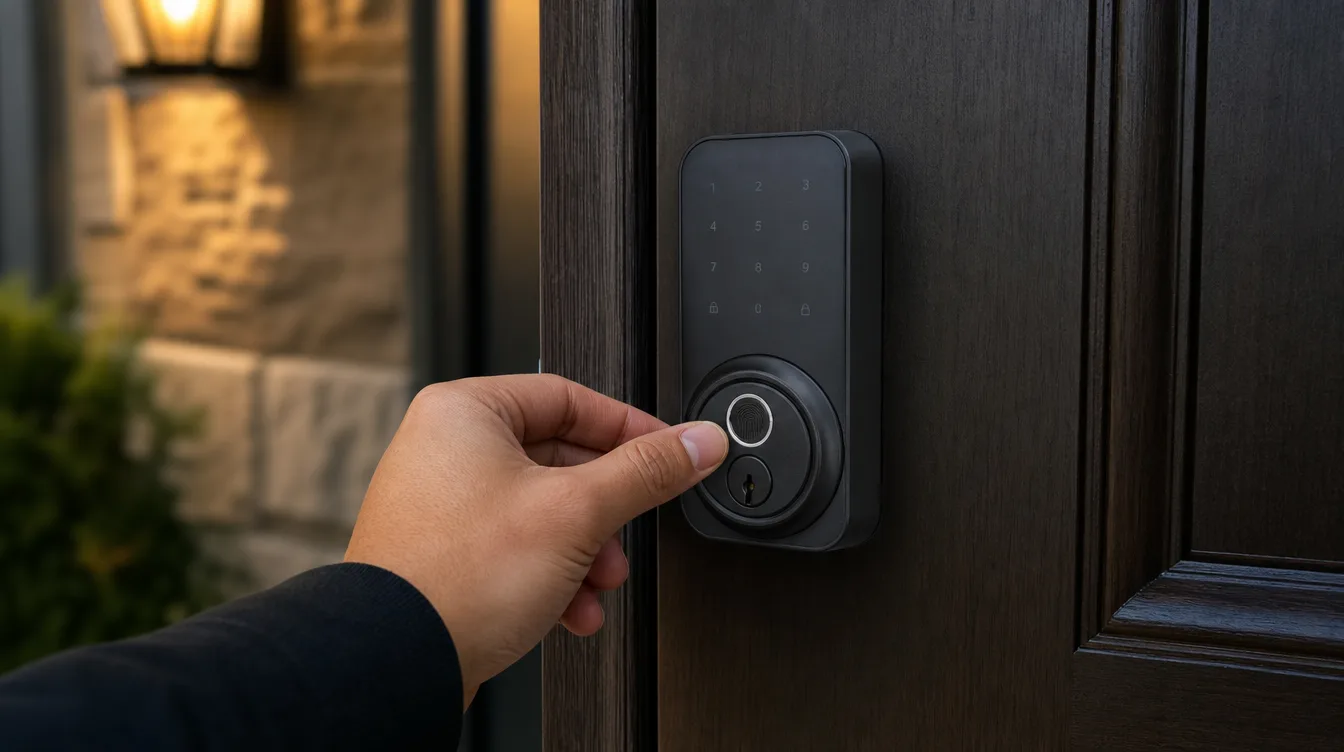
- Connectivity
- Built-in Wi-Fi (2.4GHz, 802.11 b/g/n) + Bluetooth, no hub required
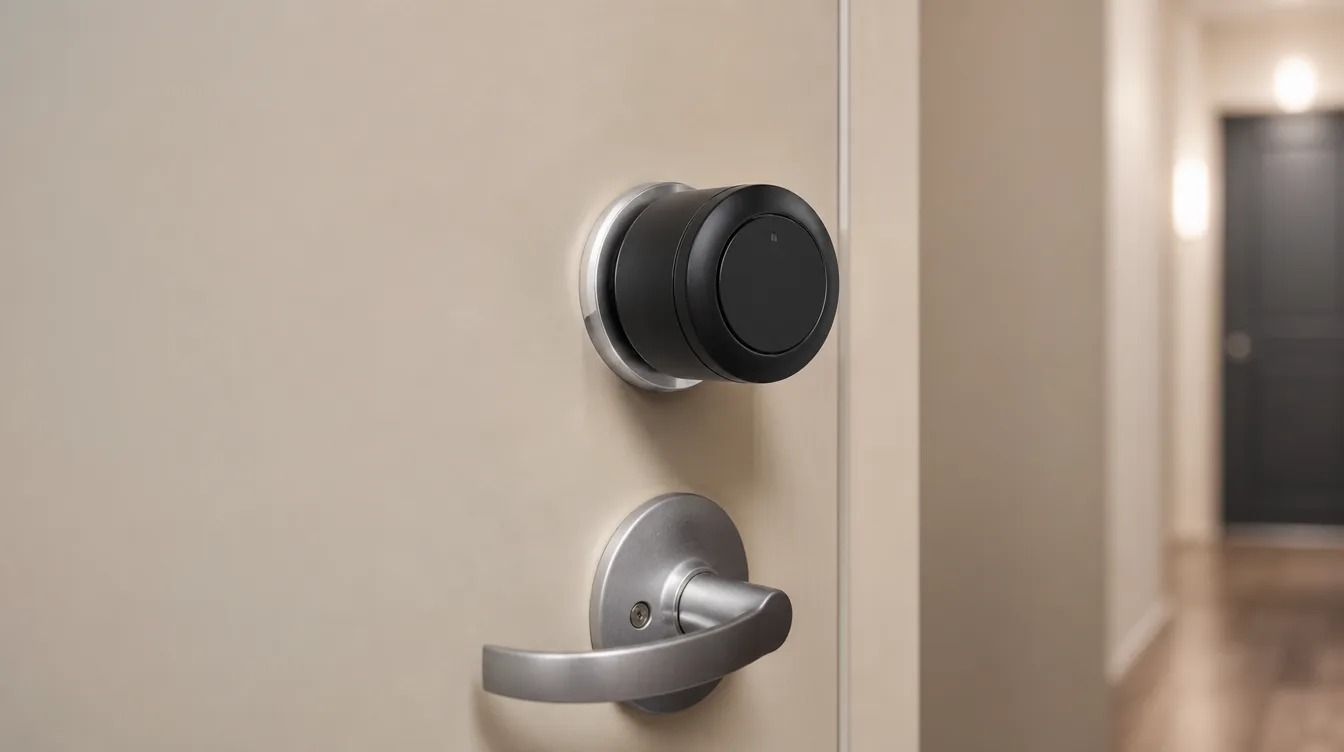
SwitchBot Lock Pro
SwitchBot
- Install
- Retrofit over an existing single-cylinder deadbolt, no drilling, keeps the exterior cylinder and keys
- Connectivity
- Built-in Wi-Fi (2.4GHz), no hub required
How we evaluate products
We compare published manufacturer specifications, manuals, support policies, and relevant public guidance. We do not present unpublished laboratory or in-home measurements as our own testing.
Features and services can change, so confirm current details with the manufacturer before buying. Affiliate commissions do not determine our editorial criteria.
Last reviewed: 2026-10-06
Products covered in this guide

Schlage
Schlage Encode Plus Smart WiFi Deadbolt
- Connectivity
- Built-in Wi-Fi (2.4GHz) and Bluetooth, no hub required
- Apple Home Key
- Tap to unlock with iPhone or Apple Watch
- Access codes
- Up to 100 codes

Yale
Yale Assure Lock 2 with Wi-Fi
- Connectivity
- Built-in Wi-Fi (2.4GHz) plus Bluetooth, no separate bridge required
- Entry methods
- Pushbutton keypad code, Yale Access app, physical key
- Access codes
- Up to 250 shareable, schedulable codes

ULTRALOQ
ULTRALOQ U-Bolt Pro WiFi
- Connectivity
- Built-in Wi-Fi (2.4GHz, 802.11 b/g/n) + Bluetooth, no hub required
- Entry methods
- 8-in-1: fingerprint, keypad, app, auto-unlock, web, eKey, Apple Watch, key
- Fingerprint
- 360° reader, unlocks in about 0.3 seconds

SwitchBot
SwitchBot Lock Pro
- Install
- Retrofit over an existing single-cylinder deadbolt, no drilling, keeps the exterior cylinder and keys
- Connectivity
- Bluetooth on its own; Wi-Fi, remote access, voice, and Matter via a separately sold SwitchBot Hub
- Entry methods
- App and auto-lock on the base lock; fingerprint, PIN, and NFC via the separately sold Keypad Touch

Schlage
Schlage Encode Smart WiFi Deadbolt
- Connectivity
- Built-in Wi-Fi (2.4GHz), no hub required
- Access codes
- Up to 100 codes
- Security certification
- ANSI/BHMA Commercial Grade 1, Residential AAA

Wyze
Wyze Lock Bolt
- Connectivity
- Bluetooth only, no Wi-Fi and no hub or gateway option
- Entry methods
- Fingerprint, backlit anti-peep keypad, app within Bluetooth range
- Fingerprint
- Ultra-fast reader, stores up to 50 fingerprints

eufy
eufy Smart Lock C220
- Connectivity
- Built-in Wi-Fi, no hub or bridge required
- Entry methods
- Fingerprint, keypad code, app, voice control, physical key (2 included)
- Fingerprint
- AI fingerprint recognition in under 0.3 seconds, stores up to 50 fingerprints

Philips
Philips Wi-Fi Door Lock
- Connectivity
- Built-in Wi-Fi, no hub or bridge required
- Entry methods
- Fingerprint, backlit keypad, Philips Home Access app, physical key, Alexa and Google Assistant voice
- Fingerprint
- 360-degree reader, opens in about 0.3 seconds, stores up to 50 fingerprints
August
August Wi-Fi Smart Lock
- Installation
- Retrofit over an existing single-cylinder deadbolt, interior side, under 10 minutes
- Connectivity
- Built-in Wi-Fi (802.11 b/g/n, 2.4 or 5 GHz) plus Bluetooth, no bridge required
- Door status
- DoorSense sensor reports whether the door is open or securely closed
Aqara
Aqara Smart Lock U50
- Connectivity
- Bluetooth 5.0 and Zigbee 3.0, NFC; Aqara hub required for remote features and Matter
- Entry methods
- Apple Home Key (iPhone or Apple Watch tap), keypad, NFC card, app, physical key
- Certification
- BHMA Level 3, zinc alloy body, IPX5 weather resistance

Level
Level Lock Pro (Matter)
- Design
- Full deadbolt replacement with every smart component hidden inside the lock; looks like a standard deadbolt
- Connectivity
- Bluetooth and Matter over Thread; a Matter controller with a Thread border router is required for platform and remote features
- Entry methods
- Apple home keys, NFC key fobs (2 included), app, touch-to-unlock, physical key; optional keypad sold separately
The best smart lock for most homes in 2026 is the Schlage Encode Plus: a Grade 1 certified deadbolt with built-in Wi-Fi, Apple Home Key, up to 100 codes, and no subscription. Renters should pick the SwitchBot Lock Pro, fingerprint-first buyers the ULTRALOQ U-Bolt Pro, and Alexa households the Schlage Encode. The comparison below covers eleven models.
Choosing among them still comes down to three decisions. The first is whether to replace the deadbolt or clamp a retrofit over the existing one, which usually comes down to owning or renting. The second is connectivity: built-in Wi-Fi unlocks control from anywhere at the cost of battery changes, while Bluetooth-only trades remote reach for simplicity. Ecosystem is the third, and over it all hangs the ANSI/BHMA line separating Grade 1 certification hardware from the residential Grade 2 tier.
Top picks at a glance
| Lock | Best for | Ways in | Certification | Remote control | Fees | | --- | --- | --- | --- | --- | --- | | Schlage Encode Plus | Overall, Apple homes | Home Key, codes, app, key | ANSI/BHMA Grade 1 | Built-in Wi-Fi | None | | Yale Assure Lock 2 | Guest access | Keypad, app, key | ANSI/BHMA Grade 2 | Built-in Wi-Fi | None | | ULTRALOQ U-Bolt Pro | Fingerprint entry | Fingerprint, keypad, app, key | ANSI Grade 1 | Built-in Wi-Fi | None | | SwitchBot Lock Pro | Renters | App, auto-lock (keypad add-on) | Retrofit, keeps existing bolt | Needs SwitchBot hub | None | | Schlage Encode | Alexa and Ring homes | Codes, app, key | ANSI/BHMA Grade 1 | Built-in Wi-Fi | None | | Wyze Lock Bolt | Budget | Fingerprint, keypad | BHMA certified | Bluetooth only | None | | eufy Smart Lock C220 | Fingerprint plus key backup | Fingerprint, keypad, app, key | ANSI/BHMA Grade 3 | Built-in Wi-Fi | None | | Philips Wi-Fi Door Lock | Family code pool | Fingerprint, keypad, app, key | ANSI/BHMA Grade 3 | Built-in Wi-Fi | None | | August Wi-Fi Smart Lock | Retrofit with remote | App, auto-unlock, original keys | Relies on existing bolt | Built-in Wi-Fi | None | | Aqara Smart Lock U50 | Home Key on a budget | Home Key, keypad, NFC, key | BHMA Level 3 | Needs Aqara hub | None | | Level Lock Pro | Invisible design | Home keys, fobs, app, key | BHMA AAA | Matter over Thread | None |
Every detailed verdict below explains the trade-offs behind each row, and each pick links to a full review.
Best overall
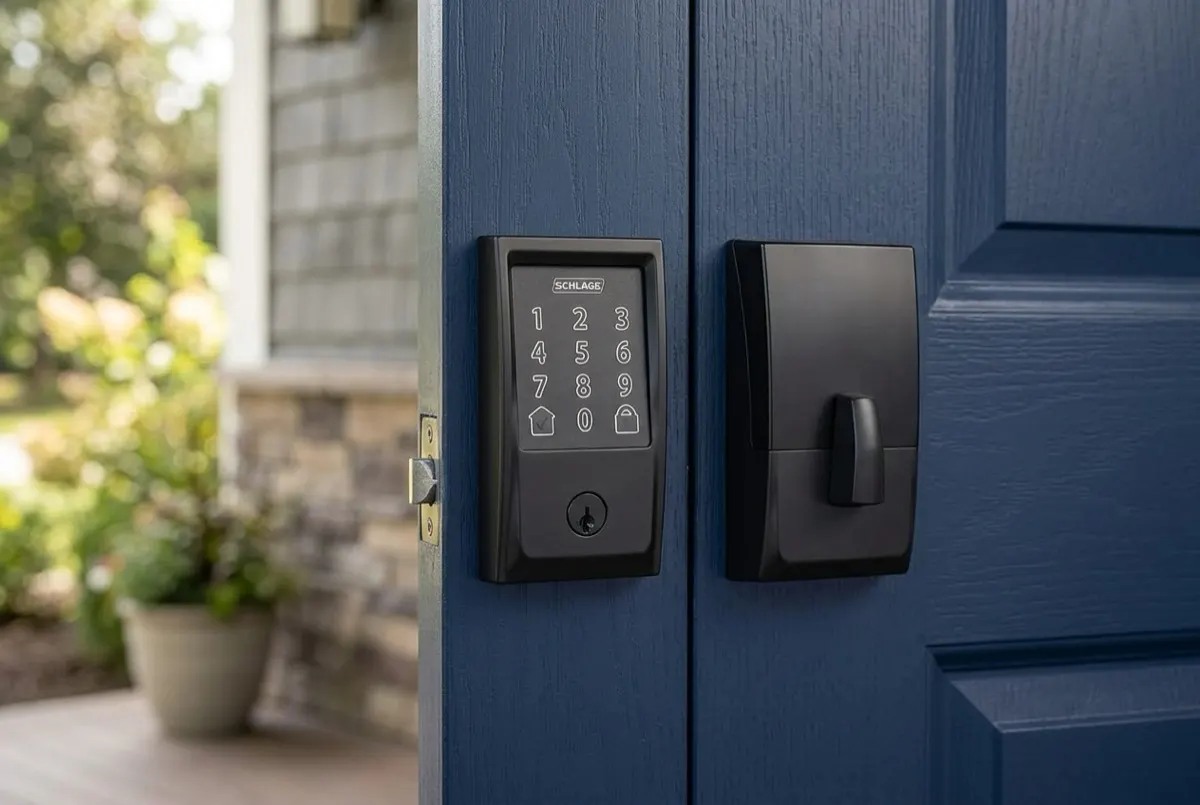
Schlage Encode Plus (ASIN: B09RS6C1SJ)
Performance and features The defining feature is Apple Home Key, which stores a house key in the Apple Wallet: holding an iPhone or Apple Watch near the touchscreen retracts the bolt, with no app to open and no code to type. Like the standard Schlage Encode, the Plus carries Wi-Fi and Bluetooth with no hub, speaks to Apple Home, Alexa, and Google Home with no subscription, and manages up to 100 access codes. Hardware matches convenience: ANSI/BHMA Commercial Grade 1 certification and the residential AAA standard, a built-in forced-entry alarm, and a fingerprint-resistant touchscreen.
Pros and cons Pros:
- Apple Home Key tap-to-unlock from iPhone or Apple Watch.
- Full Apple Home plus Alexa and Google Home support.
- Built-in Wi-Fi and Bluetooth, no hub, no subscription.
- ANSI/BHMA Grade 1 certification with up to 100 access codes.
Cons:
- Premium over the standard Encode buys features Android users cannot use.
- Wi-Fi radio still means roughly twice-a-year battery changes.
- Large exterior housing on the door.
The ideal buyer The Encode Plus is built for households whose phones and watches are Apple, and for mixed homes needing one lock for Apple, Android, and Alexa users. Android-only homes should choose the standard Schlage Encode instead.
Best for guest access
Yale Assure Lock 2 (ASIN: B0B9HWYMV5)
Performance and features Wi-Fi is built into the lock rather than bolted on, so remote locking, code sharing, and the access log work with no bridge and no fee. The standout is capacity: up to 250 schedulable codes, so a cleaner's code works only Tuesday mornings, a guest's expires on Monday, and entry survives an internet outage because codes live on the lock. The included DoorSense sensor makes auto-lock trustworthy, throwing the bolt only once the door is genuinely shut. The honest trade-offs: an ANSI/BHMA Grade 2 certification, one notch below the Grade 1 certification on the Schlage Encode and ULTRALOQ U-Bolt Pro, and Apple Home Key waits behind the pricier Assure Lock 2 Plus. The lock is IPX5 weather-built.
Pros and cons Pros:
- Built-in Wi-Fi with no bridge, hub, or gateway to buy.
- Up to 250 shareable, schedulable access codes stored on the lock.
- DoorSense sensor enables genuine auto-lock and door-ajar alerts.
- Physical key and 9V emergency terminal as fallbacks, no subscription.
Cons:
- ANSI/BHMA Grade 2 certification, below the Grade 1 certification Schlage and ULTRALOQ carry.
- Apple Home Key is reserved for the pricier Assure Lock 2 Plus.
- Wi-Fi radio draws more power than a Bluetooth-only lock.
The ideal buyer The Assure Lock 2 suits a homeowner who wants a refined keypad with hub-free remote control and no fee, especially a busy household handing out scheduled codes. Buyers set on Grade 1 certification hardware should consider the Schlage or ULTRALOQ.
Best fingerprint lock
ULTRALOQ U-Bolt Pro (ASIN: B0C61DKKL8)
Performance and features The feature that sells this lock is the fingerprint reader: U-tec rates its 360-degree sensor at an unlock in about 0.3 seconds, reading a print from any angle with no precise thumb alignment required. Fingerprint is one of eight ways in, joined by an anti-peep backlit keypad, the app, auto-unlock, eKeys, Apple Watch, and a mechanical key. Wi-Fi is built in with no hub and no subscription, and the included door sensor fires auto-lock only once the door is genuinely shut. The deadbolt holds an ANSI Grade 1 certification and an IP65 rating, with AA batteries rated at up to 10 to 12 months. Alexa and Google Home are supported; native HomeKit and Home Key are not.
Pros and cons Pros:
- 360-degree fingerprint reader unlocks in about 0.3 seconds.
- Built-in Wi-Fi with no bridge, hub, or gateway.
- Door sensor enables genuine auto-lock and open/closed alerts.
- ANSI Grade 1 certification, eight ways in, no subscription.
Cons:
- Wi-Fi radio drains batteries faster than a Bluetooth-only lock.
- Front-door Wi-Fi can be weak, so router placement matters.
- No native Apple HomeKit or Home Key support.
The ideal buyer The U-Bolt Pro fits a homeowner who wants fast fingerprint entry plus true remote control without a hub or a fee. Apple devotees who want tap-to-unlock should look at the Schlage Encode Plus.
Best retrofit lock
SwitchBot Lock Pro (ASIN: B0CYNVQ19H)
Performance and features Every other lock on this page replaces the deadbolt; the Lock Pro serves the person that approach excludes. Installation swaps only the interior thumb-turn and motors the existing tailpiece: nothing is drilled, the exterior cylinder is left alone, every original key keeps working, and the installation reverses at move-out. On its own it is a Bluetooth app lock with auto-lock, an activity log, and no subscription; remote access, voice control, and Matter require a separately sold Hub, and fingerprint plus PIN entry require the separately sold Keypad Touch. Batteries are rated at roughly six to nine months.
Pros and cons Pros:
- Retrofits over the existing deadbolt; every key keeps working.
- Fully reversible, lifting off cleanly at lease end.
- Motorized thumb-turn with auto-lock and activity log.
- Expandable to fingerprint, keypad, remote, and Matter, no subscription.
Cons:
- Remote access, voice, and Matter need a separately sold Hub.
- Fingerprint and keypad codes need the separately sold Keypad Touch.
- Bulky interior unit protrudes well past a normal thumb-turn.
The ideal buyer The Lock Pro fits anyone who cannot or will not replace the deadbolt: renters above all, but also homeowners keeping an existing cylinder and keys. For everything in one box, choose the ULTRALOQ U-Bolt Pro or Schlage Encode.
Best for Ring and Alexa households
Schlage Encode (ASIN: B07HXMLCBT)
Performance and features The standard Encode is a complete deadbolt replacement with an ANSI/BHMA Commercial Grade 1 certification and the residential AAA standard, a built-in forced-entry alarm, and a re-keyable keyway beneath the fingerprint-resistant touchscreen. Built-in Wi-Fi lets the free Schlage Home app lock the door, issue one of up to 100 scheduled codes, or read the access log from anywhere, with no hub and no subscription. Integration earns its label: Alexa and Google Home, Ring app pairing, Key by Amazon in-home delivery, and Alarm.com support. The gap is Apple: no HomeKit or Home Key here, which is exactly why the Schlage Encode Plus exists.
Pros and cons Pros:
- Built-in Wi-Fi with no bridge, hub, or gateway.
- ANSI/BHMA Grade 1 certification, the strongest residential tier.
- Up to 100 access codes stored on the lock, no subscription.
- Built-in alarm flags forced-entry attempts at the door.
Cons:
- No Apple HomeKit or Home Key support on this model.
- Chunky exterior housing is larger than a keypad-free deadbolt.
- Wi-Fi radio drains batteries faster than a Bluetooth-only lock.
The ideal buyer The Encode fits an Alexa or Google Home homeowner who wants remote control, scheduled guest codes, and the access log with no monthly fee, and anyone extending a Ring doorbell or camera setup or an Alarm.com system.
Best budget lock
Wyze Lock Bolt (ASIN: B0CWRJ7MGK)
Performance and features The Lock Bolt answers a narrower question than the Wi-Fi locks above it: the most honest way into keyless entry at the budget end. Its answer is to drop remote access and spend on what touches a finger daily: an ultra-fast fingerprint reader storing up to 50 prints, a backlit anti-peep keypad, and up to 20 app-managed codes. It is Bluetooth-only with no gateway option: no remote control, no notifications, no voice control. For the right buyer that is the point: a lock that never reaches the internet cannot be attacked over it. There is no keyway; a USB-C port takes a power-bank jump charge, AA batteries run roughly 10 to 12 months, and certification covers BHMA and IPX5 weather resistance.
Pros and cons Pros:
- Ultra-fast fingerprint reader stores up to 50 prints.
- Backlit anti-peep keypad hides a real code inside random digits.
- Standalone Bluetooth design with no hub, gateway, or subscription.
- BHMA certified with a UL 20-minute fire rating and IPX5 weather resistance.
Cons:
- Bluetooth-only, so there is no remote lock, unlock, or notification.
- No Wi-Fi and no gateway option to add remote access later.
- No physical key; a dead battery relies on a USB-C jump charge.
The ideal buyer The Lock Bolt suits buyers who want fast fingerprint entry at the budget end and never need the door from away: households tired of hiding a spare key and second doors. For remote control, step up to the ULTRALOQ U-Bolt Pro.
Best fingerprint lock with a key backup
eufy Smart Lock C220 (ASIN: B0C7C69FPS)
Performance and features The C220 takes the budget fingerprint formula of the Wyze Lock Bolt and restores the layer the Wyze leaves out: Wi-Fi built directly into the deadbolt, so remote locking, alerts, and guest profiles work from the free eufy Security app with no hub, no bridge, and no subscription. The everyday interface is an AI fingerprint reader eufy rates at under 0.3 seconds, storing up to 50 prints, joined by a keypad holding up to 100 passcodes, the app, Alexa and Google voice control, and a rarity among biometric locks, a conventional keyway with two keys in the box. Eight AA batteries run about eight months, and a data-free emergency power port wakes the lock from a power bank without exposing any communication circuit. Certification is ANSI/BHMA Grade 3 with IP53 weather resistance.
Pros and cons Pros:
- AI fingerprint reader unlocks in under 0.3 seconds, stores up to 50 prints.
- Built-in Wi-Fi with no hub, bridge, or subscription.
- Up to 100 keypad codes, plus two physical keys as a metal fallback.
- Emergency power port carries no data circuit, so it can only deliver power.
Cons:
- ANSI/BHMA Grade 3, below the Grade 1 certification Schlage and ULTRALOQ carry.
- Auto-lock is a countdown timer, not a door sensor check.
- No Apple HomeKit, Matter, or IFTTT support.
The ideal buyer The C220 fits a household that wants fingerprint-speed entry plus genuine remote control with no hub and no fee, and that insists on a physical key in reserve. Apple households should look at the Schlage Encode Plus, and buyers set on Grade 1 certification hardware should choose the ULTRALOQ U-Bolt Pro.
Best fingerprint and keypad combo
Philips Wi-Fi Door Lock (ASIN: B0F5QKCD3S)
Performance and features The Philips Wi-Fi Door Lock chases the same brief as the eufy Smart Lock C220: a 360-degree fingerprint reader Philips rates at about 0.3 seconds with up to 50 prints stored, a backlit keypad managing up to 100 user codes, and Wi-Fi built into the deadbolt itself, so the free Philips Home Access app locks, unlocks, and reports status from anywhere with no hub and nothing in the published materials gated behind a subscription. Alexa and Google Assistant voice control are listed, as is a physical key fallback behind the single-cylinder deadbolt, and four AA batteries come in the box with a low-battery indicator. The honest gaps: the listing publishes an ANSI/BHMA Grade 3 certification rather than the Grade 1 tier of the Schlage picks, no battery-life estimate, no door sensor behind the auto-lock, and no Apple Home or Matter support.
Pros and cons Pros:
- Fingerprint reader opens in about 0.3 seconds and stores up to 50 prints.
- Built-in Wi-Fi with no hub, bridge, or subscription.
- Backlit keypad manages up to 100 user codes in the free app.
- Physical key backup, with a 2-year warranty behind the lock.
Cons:
- No ANSI/BHMA security grade is published for the listing.
- No door sensor, so auto-lock behaves as a timer rather than a closed-door check.
- No Apple Home or Matter support listed, and no published battery-life estimate.
The ideal buyer The Philips suits an Alexa or Google household that wants fingerprint entry, a deep code pool for family and guests, and real remote reach in one deadbolt with no hub to buy. Buyers who shop by certified grades should choose the Schlage Encode, and Apple homes the Schlage Encode Plus.
Best retrofit with built-in Wi-Fi
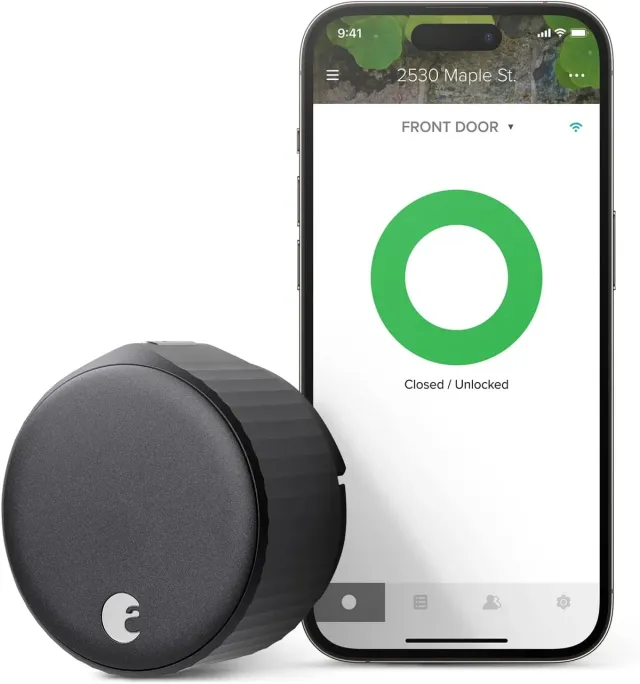
August Wi-Fi Smart Lock (ASIN: B082VXRND2)
Performance and features The August shares the retrofit brief with the SwitchBot Lock Pro: it mounts on the inside of the existing single-cylinder deadbolt in under ten minutes, motors the thumb-turn already there, and leaves the exterior cylinder and every original key untouched. The difference is reach: Wi-Fi is built into the lock itself over 802.11 b/g/n on the 2.4 or 5 GHz band, with Bluetooth alongside, so remote control, smart alerts, and voice control through Alexa, Google Assistant, and Siri need no bridge. The included DoorSense sensor reports whether the door is open or securely closed, so auto-lock can key off a genuinely shut door and geo-fenced auto-unlock opens it as the phone arrives home. Virtual guest keys and an activity feed run in the free app with no subscription; the lock runs on two included CR123 batteries.
Pros and cons Pros:
- Retrofits over the existing deadbolt; every original key keeps working.
- Built-in Wi-Fi plus Bluetooth, no bridge, no subscription.
- DoorSense confirms the door is closed and locked, not just thrown.
- Geo-fenced auto-unlock and closed-door auto-lock work hands-free.
Cons:
- No built-in keypad or fingerprint reader; code entry needs the separately sold keypad.
- Runs on two CR123 batteries rather than standard AA cells.
- Security still rests on the existing deadbolt it rides on.
The ideal buyer The August is the pick for a renter who cannot touch the deadbolt but refuses to give up remote control, and for any homeowner content with their existing hardware. Buyers who want fingerprint or keypad entry built into the lock should look at the ULTRALOQ U-Bolt Pro or the eufy Smart Lock C220.
Best for Apple Home Key and Matter
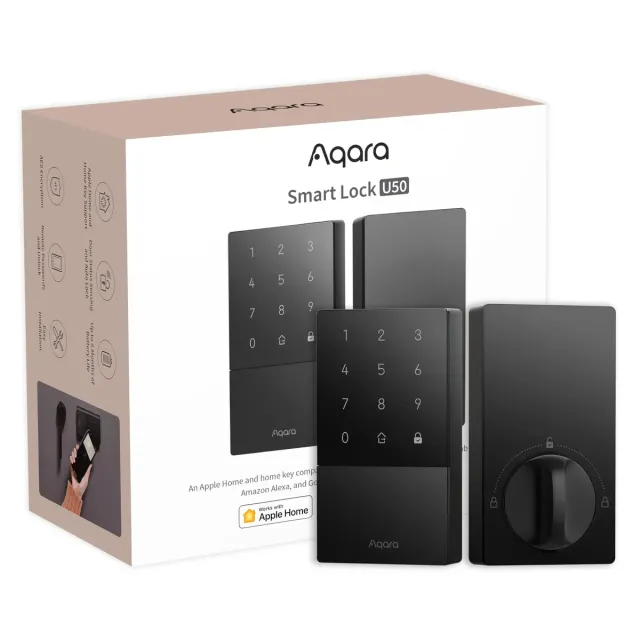
Aqara Smart Lock U50 (ASIN: B0CZNZGGS7)
Performance and features The U50 is the value route into the tap-to-open experience the Schlage Encode Plus anchors: Apple Home Key stores a house key in Apple Wallet and opens the door with a tap of an iPhone or Apple Watch, even when the device is out of power. The other ways in run to a backlit keypad, NFC cards, the app, voice control, and two included physical keys. The catch Aqara states plainly: the lock speaks Bluetooth 5.0 and Zigbee 3.0 with no Wi-Fi of its own, so remote features and Matter require an Aqara hub, and HomeKit remote control alone still needs a HomePod or Apple TV. A built-in gyroscope tracks door position, reminding when the door is left open and auto-locking only once it closes. Four AA batteries are rated at up to six months, a USB-C port takes emergency power, and the zinc-alloy deadbolt is BHMA Level 3 with an IPX5 rating, all with no subscription.
Pros and cons Pros:
- Apple Home Key tap-to-open from iPhone or Apple Watch, even with a dead device.
- Built-in gyroscope senses door position and auto-locks once the door is closed.
- Zigbee path to Matter, Apple Home, Alexa, Google Home, and IFTTT through an Aqara hub.
- Keypad, NFC, app, and two physical keys, with USB-C emergency power.
Cons:
- Remote features and Matter require an Aqara hub; the lock has no Wi-Fi of its own.
- No fingerprint reader.
- Four AA batteries rated up to six months, shorter than Bluetooth-only locks.
The ideal buyer The U50 suits an Apple household that wants Home Key without paying for built-in Wi-Fi, especially with a HomePod, Apple TV, or Aqara hub already in place, and mixed-platform homes that want Matter. Fingerprint-first buyers should choose the ULTRALOQ U-Bolt Pro, and anyone wanting hub-free remote control the Schlage Encode.
Best invisible design
Level Lock Pro (ASIN: B0FKLBYHD2)
Performance and features Every other lock on this page announces itself with a keypad or a bulky housing; the Level Lock Pro hides the motor, radios, and even the single CR2 battery inside the deadbolt, so the door keeps the look of standard keyed hardware. The electronics are current: Matter over Thread plus Bluetooth works with Apple Home, Alexa, Google Home, and Samsung SmartThings, though a Matter controller with a Thread border router is required for platform and remote features. Entry runs to Apple home keys, two included NFC fobs, the app, touch-to-unlock, and a physical key, with PIN codes reserved for a separately sold keypad. Built-in door status detection reports open and closed with no frame-mounted sensor, certification reaches BHMA AAA with an IP54 rating, the battery is rated up to twelve months, and no subscription appears anywhere.
Pros and cons Pros:
- Every smart component hides inside the deadbolt; the door keeps a standard look.
- Matter over Thread plus Bluetooth works with Apple Home, Alexa, Google Home, and SmartThings.
- Apple home keys and two included NFC fobs open the door with a tap.
- BHMA AAA certified and IP54 rated, CR2 battery rated up to 12 months.
Cons:
- Remote and platform features require a Matter controller with a Thread border router.
- No built-in keypad; PIN codes need the separately sold accessory.
- Door status and rich notifications are not yet consistent across Matter platforms.
The ideal buyer The Lock Pro fits a design-led home, and any Apple household, that wants home key tap-to-unlock on hardware that passes for a plain deadbolt, with a Thread border router already on the network. Buyers who want a keypad out of the box should look at the Yale Assure Lock 2 or the Schlage Encode Plus.
How SafeHive evaluates these locks
SafeHive is an editorial site, not a hardware laboratory. Every verdict on this page is built from documents a buyer can check before purchase: published manufacturer specifications, installation manuals, ANSI/BHMA certification records, IP and weather ratings, app store listings, and warranty and support policies. Where a listing omits a figure — a battery-life estimate, a security grade — the omission is stated rather than filled with an estimate. Prices and availability are left to the retailer links because they change constantly. The full methodology is described on the how SafeHive evaluates page, and every pick is re-checked against the dates shown above each review.
Known limits and who should skip
Every pick above carries a documented trade-off, and for some households it is disqualifying.
Schlage Encode Plus. Its defining feature, Apple Home Key, works only with an iPhone or Apple Watch, so Android-only households gain nothing from it; the standard Schlage Encode covers Alexa and Google Home without the Apple layer.
Yale Assure Lock 2. The deadbolt is certified ANSI/BHMA Grade 2, a tier below the Grade 1 hardware from Schlage and ULTRALOQ, and its entry list — keypad code, app, and physical key — includes no fingerprint reader.
ULTRALOQ U-Bolt Pro. Platform support stops at Alexa and Google Home: native Apple Home and Home Key are not on the spec sheet, so Apple-led households should look at the Schlage Encode Plus or the Aqara U50 instead.
SwitchBot Lock Pro. Out of the box it is a Bluetooth lock: remote access, voice control, and Matter all require the separately sold SwitchBot Hub, and fingerprint or PIN entry requires the separately sold Keypad Touch.
Schlage Encode. Listed voice and platform support covers Amazon Alexa and Google Home only — there is no Apple Home or Home Key on this model — so iPhone-led households should step up to the Encode Plus.
Wyze Lock Bolt. It is Bluetooth-only with no Wi-Fi and no gateway option, so remote locking, unlock notifications, and voice control are excluded permanently rather than by default, and a USB-C jump charge stands in for a physical key.
eufy Smart Lock C220. Certification is ANSI/BHMA Grade 3, two tiers below the Grade 1 picks, and its auto-lock is a countdown timer rather than a sensor check that the door has actually closed.
Philips Wi-Fi Door Lock. Certification is ANSI/BHMA Grade 3, below the Grade 1 picks, the listing publishes no battery-life estimate, and there is no door sensor behind the auto-lock, which therefore behaves as a timer.
August Wi-Fi Smart Lock. There is no built-in keypad or fingerprint reader — code entry requires the separately sold keypad — and the lock runs on two CR123 batteries rather than standard AA cells.
Aqara Smart Lock U50. The lock speaks Bluetooth 5.0 and Zigbee 3.0 with no Wi-Fi of its own, so remote features and Matter require an Aqara hub; hub-free remote control means picking the Schlage Encode instead.
Level Lock Pro. Platform and remote features require a Matter controller with a Thread border router on the network, and PIN codes require the separately sold keypad — there is none built in.
Anyone whose constraint is absolute — no hub under any circumstances, no accessories to buy later, no changes to the door hardware at all — should check the alternatives page for the closest pick, such as Schlage Encode Plus alternatives, or skip locks entirely and monitor the entry with a camera from the best security cameras or best video doorbells pages. Once the door itself is handled, the outdoor camera placement guide explains where a camera actually needs to sit to cover the rest of the property.