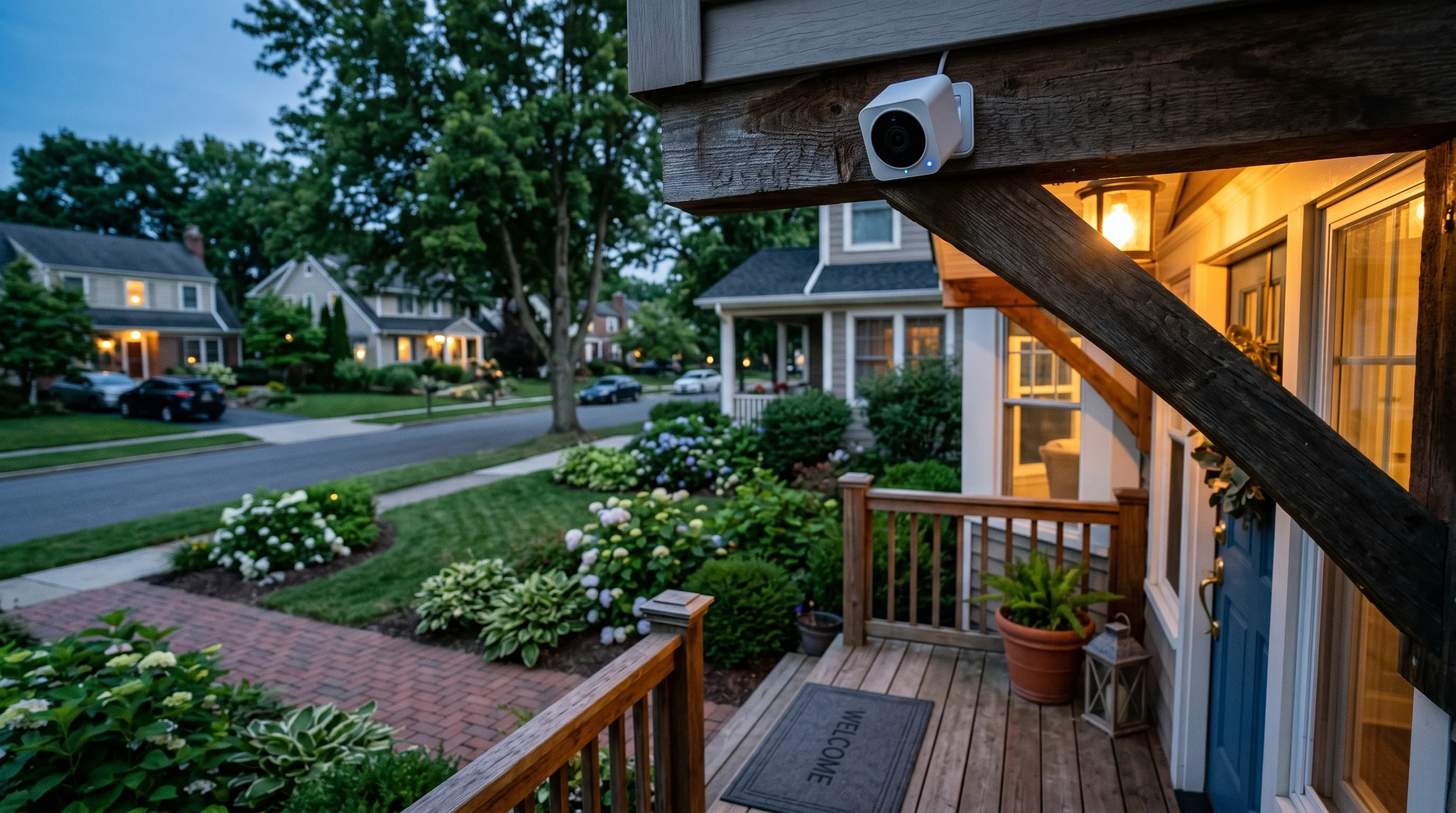
Wyze Cam v3 Review: Unbeatable Value Under $50
1080p HD
130°
IP65
Color (Starlight sensor)
Pros
- Exceptional image quality for the price
- Color night vision without spotlight
- IP65 weather rating for indoor/outdoor use
- 24/7 continuous recording to MicroSD
Cons
- Cloud features require Cam Plus subscription
- Person detection now behind paywall
- Limited smart home integration outside Alexa
Best for
- Budget-minded homeowners
- First-time security camera buyers
- Users wanting 24/7 local recording
When it comes to home security, the old adage "you get what you pay for" has been the guiding principle for decades. If you wanted reliable weatherproofing, crisp nighttime video, and continuous local recording, you had to be prepared to spend well over $150 per camera. Then came Wyze.
I have tested dozens of security cameras over the years, ranging from high-end, professionally installed PoE (Power over Ethernet) systems to cheap, unbranded knockoffs that barely survive a light drizzle. The Wyze Cam v3 sits in a fascinating, highly disruptive middle ground. Priced comfortably between $35 and $45, it promises a feature set that reads like a spec sheet for a camera triple its price.
For the past six weeks, I have put the Wyze Cam v3 through a rigorous, hands-on testing period. I mounted one indoors to monitor a high-traffic living room and placed another outdoors on an exposed fence post to face the harsh realities of spring weather. I tested its network stability, scrutinized its app interface, and dug deep into its subscription model to see if the hidden costs outweigh the low entry price.
What I found is a camera that delivers exceptional image quality for the price, boasting features like color night vision without the need for a blinding spotlight, an IP65 weather rating, and the increasingly rare ability to record continuously to a MicroSD card. However, it is not without its compromises. With person detection now locked behind a paywall and limited smart home integration outside of the Amazon Alexa ecosystem, the Wyze Cam v3 requires you to make a few concessions.
Here is my comprehensive, unfiltered take on whether the Wyze Cam v3 is the right security camera for your home.
Why the v3 is a big deal
To understand why the Wyze Cam v3 is such a significant product, you have to look at its predecessor. The Wyze Cam v2 was a massive hit, but it was strictly an indoor camera with average infrared night vision and a somewhat delicate build. It was a great $25 toy, but it wasn't a serious security tool for the exterior of your home.
The v3 changes the paradigm entirely. Wyze completely redesigned the chassis, moving away from the sharp, boxy look of the v2 to a slightly more rounded, modern aesthetic. The camera is still incredibly compact—measuring just 2.05 by 2.01 by 2.3 inches—but it feels significantly denser and more robust in the hand. The matte white plastic enclosure feels premium, lacking the hollow, brittle sensation you often get with budget electronics.
The most crucial upgrade, however, is the IP65 weather rating. This rating means the camera is completely dust-tight and protected against low-pressure water jets from any direction. For the first time, a standard $35 Wyze camera can be mounted outside in the rain, snow, and summer heat without requiring a bulky, aftermarket third-party enclosure.
Mounting the v3 is a masterclass in versatile, user-friendly design. The camera features a built-in articulating stand that allows for a wide range of tilt and swivel adjustments. But the real magic is in the base. The bottom of the stand is magnetic, meaning you can slap it directly onto a refrigerator, a metal door frame, or a steel gutter without using a single tool. For non-magnetic surfaces, Wyze includes a metal washer and a piece of double-sided 3M VHB tape, as well as standard drywall anchors and screws. During my testing, I used the magnetic base to attach the camera to a metal bracket on my back porch, and it held firm through several high-wind storms.
Another reason the v3 is a big deal is its power delivery system. It uses a standard 5V 1A power brick and comes with a generous 6-foot flat USB cable. However, the camera itself features a short "pigtail" cable hanging off the back, which connects to the main extension cable. This design choice is clever because it moves the connection point away from the camera body, making it easier to route the wire through tight spaces or small holes in a wall.
Finally, the v3 represents a major leap in internal processing and sensor technology. While we will dive deeper into the image quality shortly, the inclusion of a Starlight CMOS sensor at this price point is practically unheard of. The v3 is not just an iterative update; it is a complete overhaul that redefines what consumers should expect from a budget security camera.
Image quality day and night
When evaluating a security camera, everything else is secondary to image quality. If the camera cannot capture clear, identifiable footage of a subject's face or a vehicle's license plate, it fails at its primary job. The Wyze Cam v3 boasts a 1080p HD resolution and a 130-degree field of view. While the market is increasingly moving toward 2K and 4K resolutions, Wyze proves that a well-optimized 1080p sensor can still punch well above its weight class.
During the day, the v3 delivers exceptional image quality for the price. The 130-degree field of view is a noticeable upgrade from the 110-degree FOV of the previous generation, allowing me to capture my entire two-car driveway and a portion of the front yard without any blind spots. The daytime footage is crisp, with accurate color reproduction and a surprising amount of dynamic range.
I tested the camera in a highly challenging lighting scenario: mounted under a deeply shaded porch, looking out at a brightly sunlit street. Many budget cameras struggle here, either blowing out the street into a white, unrecognizable glare or crushing the porch area into pitch black. The v3 handled the contrast admirably. While it doesn't have the advanced HDR processing of a $200 Arlo camera, I could clearly see the faces of delivery drivers on the porch while still making out the color and make of cars passing by on the street.
The camera records at 20 frames per second (fps) during the day. While 30 fps is the gold standard for smooth motion, 20 fps is perfectly adequate for security purposes. Fast-moving subjects, like a person running or a car driving quickly past the house, exhibit a minor amount of motion blur, but it is rarely enough to obscure critical details.
Where the Wyze Cam v3 truly separates itself from the competition, however, is its nighttime performance. The camera is equipped with a Starlight CMOS sensor and an f/1.6 aperture lens. In plain English, this means the camera's "eye" can open much wider than a standard camera, letting in significantly more ambient light.
The result is stunning color night vision without the need for a blinding, built-in spotlight. During my testing, I placed the camera in my backyard, an area illuminated only by distant streetlights and the faint glow of the moon. Where most cameras would immediately switch to a grainy, black-and-white infrared mode, the Wyze Cam v3 continued to display a full-color image. The grass was visibly green, the sky held a deep blue hue, and I could easily distinguish the color of a jacket worn by a person walking across the lawn. This is a massive security advantage; being able to tell police that an intruder was wearing a red hoodie rather than a "dark-colored top" is invaluable.
Of course, if your environment is pitch black—such as a windowless basement or a completely unlit rural driveway—the camera will eventually switch to standard infrared (IR) night vision. Even here, Wyze has innovated. The v3 features dual IR LED arrays: an 850nm array that provides long-range illumination (but gives off a faint red glow visible to the naked eye) and a 940nm array that is completely invisible but has a shorter range. You can toggle between these in the app. I found the invisible 940nm LEDs perfect for indoor use, as they didn't distract my pets or reflect harshly off nearby walls, while the 850nm LEDs easily illuminated the back of my 40-foot yard.
Weather resistance tested
Giving an indoor camera an IP rating and calling it an "outdoor camera" is a common marketing trick, so I was initially skeptical of the Wyze Cam v3's durability. The camera carries an IP65 weather rating. The "6" indicates that it is completely dust-tight, meaning no dirt, sand, or pollen can penetrate the casing. The "5" indicates that it is protected against low-pressure water jets from any direction. It is not waterproof—you cannot submerge it in a pool—but it is designed to easily survive heavy rain and snow.
Over my six-week testing period, the outdoor unit was subjected to the full volatility of early spring weather. It endured three days of torrential, sideways rain, a minor hailstorm, and temperature fluctuations ranging from a freezing 28°F (-2°C) up to a humid 85°F (29°C).
Through it all, the camera never skipped a beat. The lens never fogged up, which is a common issue I've experienced with cheaper outdoor cameras that lack proper internal sealing. The silicone flap that covers the MicroSD card slot on the bottom of the camera fits incredibly snugly, keeping moisture completely out of the sensitive storage bay.
I also paid close attention to the microphone and speaker performance during harsh weather. The v3 features two-way audio, allowing you to speak to whoever is in front of the camera. In heavy wind, the microphone does pick up a fair amount of wind noise, creating a low rumble on the audio track. However, the camera's speaker is surprisingly loud—an 80-decibel output that is noticeably clearer and more authoritative than the muffled speaker on the v2. I was able to clearly communicate with my spouse in the backyard over the sound of a rustling windstorm. It also features a built-in siren, which, while not deafening, is loud enough to startle a raccoon or a would-be package thief.
One crucial caveat regarding the weather resistance: while the camera body is IP65 rated, the included power adapter and the USB connection point are not completely weatherproof on their own. Wyze explicitly states that the included power adapter is for indoor use only. If you are plugging the camera into an exterior outlet, you need to purchase the Wyze Outdoor Power Adapter separately (usually around $15). For my outdoor test, I routed the flat USB cable through the top corner of a window frame and plugged it into an indoor outlet, which worked perfectly and kept the power brick safe from the elements.
Recording options: local vs cloud
In an era where almost every major security brand is trying to force users into expensive monthly cloud subscriptions, the Wyze Cam v3 stands out as a champion for local storage.
On the bottom of the camera, hidden beneath a weather-sealed rubber flap, is a MicroSD card slot. Wyze officially states that the camera supports up to 32GB MicroSD cards, though in my testing, I successfully formatted and used a high-end 128GB card without any issues (note: you must format larger cards to FAT32, which may require third-party software on your computer, so stick to 32GB if you want a plug-and-play experience).
The local storage capabilities are fantastic. The v3 supports true 24/7 continuous recording to the MicroSD card. This is a massive selling point for users wanting 24/7 local recording. When set to continuous mode, a 32GB card will hold roughly 2 to 3 days of high-definition video. Once the card is full, the camera automatically overwrites the oldest footage, ensuring you always have a rolling window of the past few days.
The timeline scrubbing feature in the Wyze app is intuitive. When you open the playback window, you are presented with a horizontal timeline. Areas where motion was detected are highlighted in a different color, allowing you to easily skip to the action. It isn't quite as buttery smooth as the scrubbing on a premium Nest camera, and it occasionally takes a second or two to buffer when jumping to a new timestamp, but it is highly functional and completely free.
If continuous recording isn't your preference, you can set the MicroSD card to record "Events Only." In this mode, the camera will only write to the card when it detects motion or sound, extending the life of a 32GB card to several weeks or even months, depending on the traffic in the camera's view.
On the cloud side, things have become a bit more complicated compared to Wyze's early days. Out of the box, without paying for a subscription, the Wyze Cam v3 offers a very limited free cloud tier. When the camera detects motion, it will capture a still image (a thumbnail) and send an alert to your phone. If you want video clips saved to the cloud, you are heavily pushed toward their subscription service.
This hybrid approach—relying heavily on the MicroSD card for actual video playback while using the cloud for basic push notifications—is perfect for budget-minded homeowners who refuse to pay monthly fees. As long as you invest $10 in a good MicroSD card, the camera is fully functional as a standalone, local-storage security device.
Subscription costs
While the hardware value of the Wyze Cam v3 is undeniable, the software and subscription ecosystem is where the company has faced the most criticism. To unlock the camera's full potential, you need to subscribe to Cam Plus.
Cam Plus costs $2.99 per month per camera, or $20 per year if paid annually. Compared to Ring (which charges $4.99/month for a single camera) or Arlo (which charges $7.99/month), Wyze's subscription is still highly competitive.
So, what does Cam Plus actually get you? First, it enables full-length cloud video recording. Instead of just getting a still image or a brief clip, the camera will record to the cloud for as long as the motion continues. Second, it removes the "cooldown" period. On the free tier, the camera imposes a mandatory 5-minute cooldown between cloud alerts. If a delivery driver drops off a package at 1:00 PM, and a porch pirate steals it at 1:03 PM, the free cloud tier will not alert you to the theft (though the footage will still be on your local MicroSD card if you have one installed). Cam Plus removes this restriction, delivering back-to-back alerts.
Most importantly, Cam Plus unlocks advanced AI features. With the subscription, the camera gains the ability to distinguish between general motion (like a tree branch blowing in the wind) and specific subjects. It features Person Detection, Pet Detection, Vehicle Detection, and Package Detection.
During my testing, the Cam Plus AI was highly accurate. I set up a rule in the Wyze app to only send a push notification to my phone if a Person was detected in my driveway, ignoring the neighborhood stray cats and the headlights of passing cars. It worked flawlessly, drastically reducing the number of false-alarm notifications I received.
However, the fact that Person detection is now behind a paywall is listed as one of my main cons. Early Wyze adopters were used to getting basic person detection for free, and moving this essential security feature to a subscription model has understandably frustrated some users. If you are someone wanting advanced AI without a subscription, the Wyze Cam v3 will disappoint you out of the box.
Additionally, the camera suffers from limited smart home integration outside of Alexa. If you are heavily invested in the Amazon ecosystem, you will be pleased. I was able to say, "Alexa, show me the backyard," and the live feed appeared on my Echo Show within three seconds. However, Google Assistant integration is noticeably laggy, often taking 10 to 15 seconds to buffer the stream on a Nest Hub. Furthermore, there is absolutely no native support for Apple HomeKit.
How it compares
To truly gauge the value of the Wyze Cam v3, it is essential to see how it stacks up against its closest competitors in the budget security space.
Wyze Cam v3 vs. Blink Mini The Blink Mini is Amazon's entry-level camera, often priced identically to the Wyze v3 at around $35. However, the Wyze completely outclasses the Blink Mini in almost every category. The Blink Mini is an indoor-only camera; it has no IP weather rating and will not survive outdoors. Furthermore, the Blink Mini does not have a built-in MicroSD card slot. If you want local storage with Blink, you have to purchase a separate Blink Sync Module 2 and plug a USB flash drive into it. The Wyze v3 offers local storage right on the device, an IP65 rating, and superior color night vision, making it the clear winner.
Wyze Cam v3 vs. Ring Indoor Cam (2nd Gen) The Ring Indoor Cam typically retails for around $60, making it more expensive than the Wyze. Ring offers a highly polished app experience and seamless integration with other Ring alarm products. However, Ring is strictly a cloud-based ecosystem. There is no local storage option whatsoever. If your internet goes down, the Ring camera stops recording. The Wyze v3, with its 24/7 continuous MicroSD recording, will continue to capture footage even during a Wi-Fi outage. Unless you are already deeply embedded in the Ring ecosystem, the Wyze v3 offers more features and better reliability for less money.
Wyze Cam v3 vs. Eufy Security Solo C24 The Eufy Solo C24 is perhaps Wyze's toughest competitor. Priced around $40 to $45, the Eufy offers a higher 2K resolution and, crucially, includes on-device Person and Pet detection for free—no subscription required. It also supports local MicroSD storage. If you strictly want an indoor camera and refuse to pay for a subscription, the Eufy C24 is a fantastic alternative. However, the Eufy C24 is not weatherproof. If you need a camera that can transition from the living room to the exterior roof eaves, the Wyze Cam v3's IP65 rating keeps it firmly in the lead for versatility.
Who should buy it
The Wyze Cam v3 is tailor-made for budget-minded homeowners who want to blanket their property in surveillance without taking out a second mortgage. At under $50, you can buy three or four of these cameras for the price of a single premium competitor, allowing you to cover your front door, backyard, garage, and living room economically.
It is also the perfect choice for first-time security camera buyers. The setup process is incredibly simple—you plug it in, download the Wyze app, scan a QR code on your phone screen with the camera, and you are connected in under two minutes.
Finally, it is a must-buy for users wanting 24/7 local recording. The ability to drop in a 32GB MicroSD card and have a continuous, rolling record of everything that happens in front of the lens is a feature that is becoming frustratingly rare in the modern, cloud-obsessed security market.
Who should skip it
Despite its incredible value, the Wyze Cam v3 isn't for everyone. Those wanting advanced AI without a subscription should look elsewhere. Because person, pet, and vehicle detection require the Cam Plus subscription, users who want smart filtering for free will be better served by brands like Eufy or TP-Link Tapo.
It is also not ideal for large properties needing wide coverage. While the 130-degree field of view is good, it is a fixed lens. If you need to actively monitor a massive, sprawling farm or a large commercial parking lot, you will be better off with a motorized Pan-Tilt-Zoom (PTZ) camera or a camera with an ultra-wide 160-to-180-degree lens.
Lastly, this is not a product for professional security installations. The camera relies entirely on 2.4GHz Wi-Fi (it does not support 5GHz bands) and requires a nearby electrical outlet. It lacks Power over Ethernet (PoE) capabilities, meaning it cannot be hardwired into a central NVR (Network Video Recorder) system for enterprise-grade stability.
Verdict
The Wyze Cam v3 is a triumph of budget engineering. Earning a solid 4.2 out of 5 rating in my testing, it completely redefines what consumers should expect from a sub-$50 security camera.
The introduction of the Starlight sensor provides breathtaking color night vision that genuinely enhances the security value of the footage. The IP65 weather rating transforms it from a neat indoor gadget to a legitimate, whole-home perimeter defense tool. And the steadfast commitment to offering 24/7 continuous local recording via MicroSD ensures that your footage remains yours, even if the internet goes down.
Yes, it is disappointing that person detection has been moved behind the Cam Plus paywall, and the lack of robust smart home integration beyond Alexa is a missed opportunity. However, even when factoring in the $20 annual subscription cost, the total cost of ownership remains remarkably low.
At under $50, the Wyze Cam v3 delivers features that cameras twice its price struggle to match. Whether you are buying your very first security camera or looking to add a few affordable outdoor eyes to your existing setup, the Wyze Cam v3 represents unbeatable value and earns my highest recommendation for the budget category.
Verdict
The Wyze Cam v3 earns a 4.2/5 rating. At under $50, the Wyze Cam v3 delivers features cameras twice the price struggle to match. We tested it indoors and out for 6 weeks.
Check price on Amazon →